.png)



.png)

.svg)
STL to Parametric CAD
Rebuild mesh outputs and BREP models as fully parametric CAD in minutes, ready to edit, sweep, and simulate.
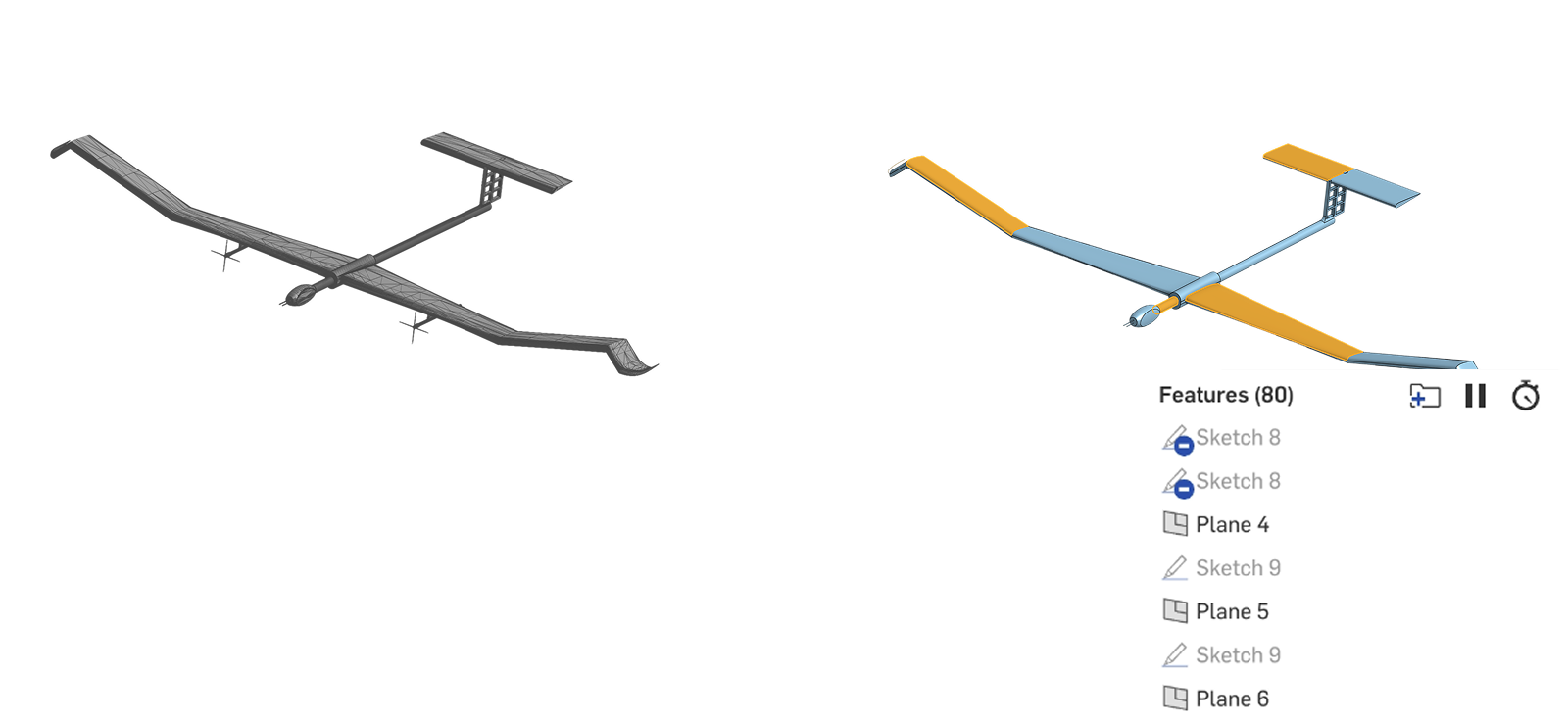
Overview
Engineering teams constantly receive geometry that carries shape but not design intent. Mesh outputs from the simualtaion / CAE team from topology optimisation.
Small design changes can force a full manual rebuild. Engineers guess the original design drivers, recreate the feature tree from scratch, and iterate against the reference by eye until the geometry matches.
For a single component this can take days and more complex geometry significantly longer.
Bench removes this bottleneck by reconstructing the geometry as a clean parametric model that matches the reference exactly. The result is published directly into the engineer's CAD software of choice; Onshape, Solidworks, Catia.
The geometry is fully parametric and is ready to edit, sweep, and feed into simulation, optimisation, and manufacturing workflows.
Without Bench
Identify Design Drivers
Identify the core design drivers (key dimensions, interfaces, symmetry, functional regions, material assumptions, etc.).
Create Base Geometry
Build an initial parametric base from scratch that roughly captures the overall form and main features.
Iterate and Develop Geometry
Refine the model itaretively, constantly comparing the reference (non‑parametric model) against the new parametric version until the shapes are effectively indistinguishable for the intended use.
Geometry Completed
Once the model is within acceptable tolerance, the engineer finalises the feature tree, and adopts this parametric model.
Without Bench, turning non-parametric models into useful parametric models means painstaking manual reverse engineering: rebuilding geometry feature by feature, iterating until it roughly matches the original, and only then having a model that can actually be edited, simulated, or reused.
How Bench Solves This
Load & Mark Up
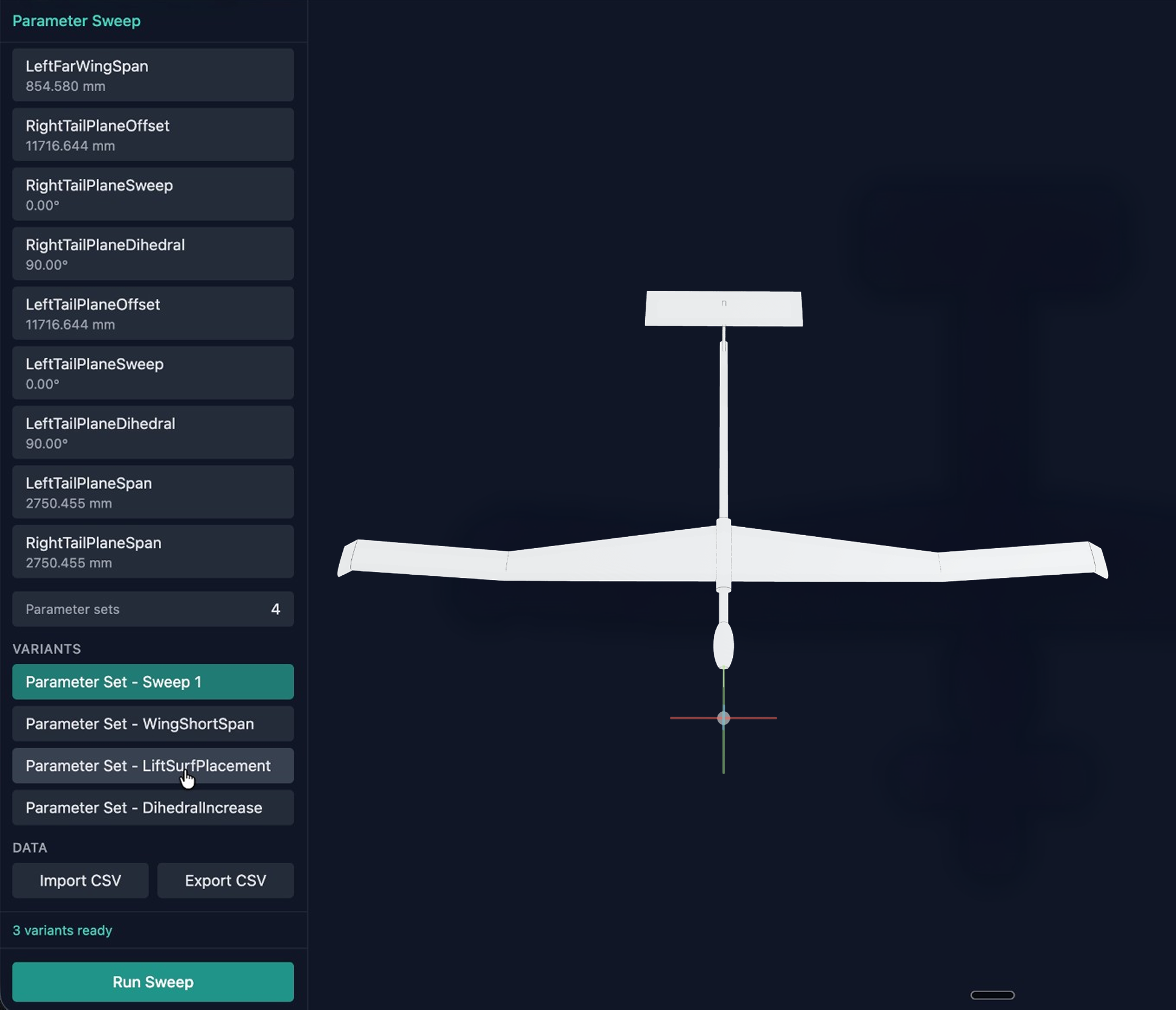
Load your model into Bench and define the parameters that matter. Use edge-to-edge selections to capture functional dimensions, fuselage length, wing chord, hole spacing, whatever drives your design.
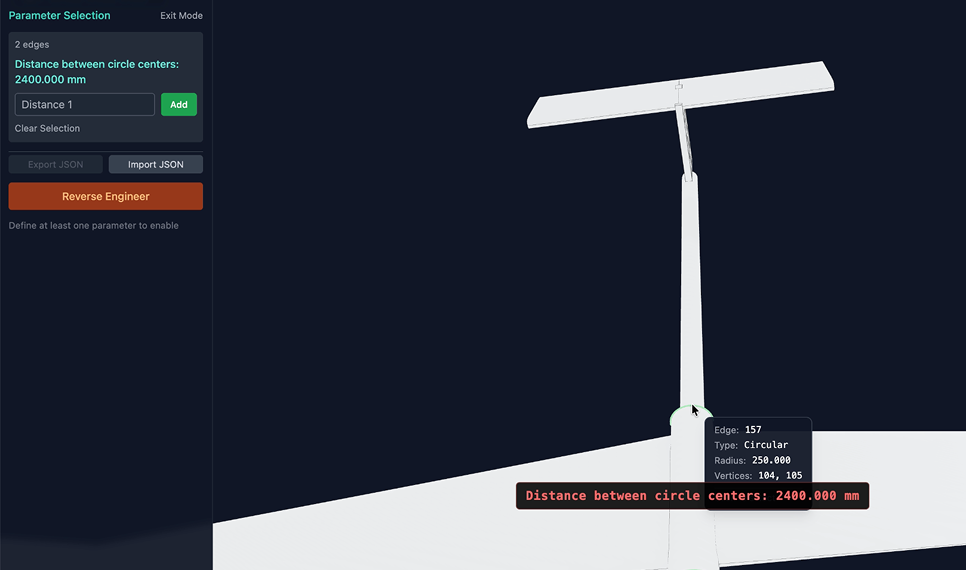
Reconstruction In Bench
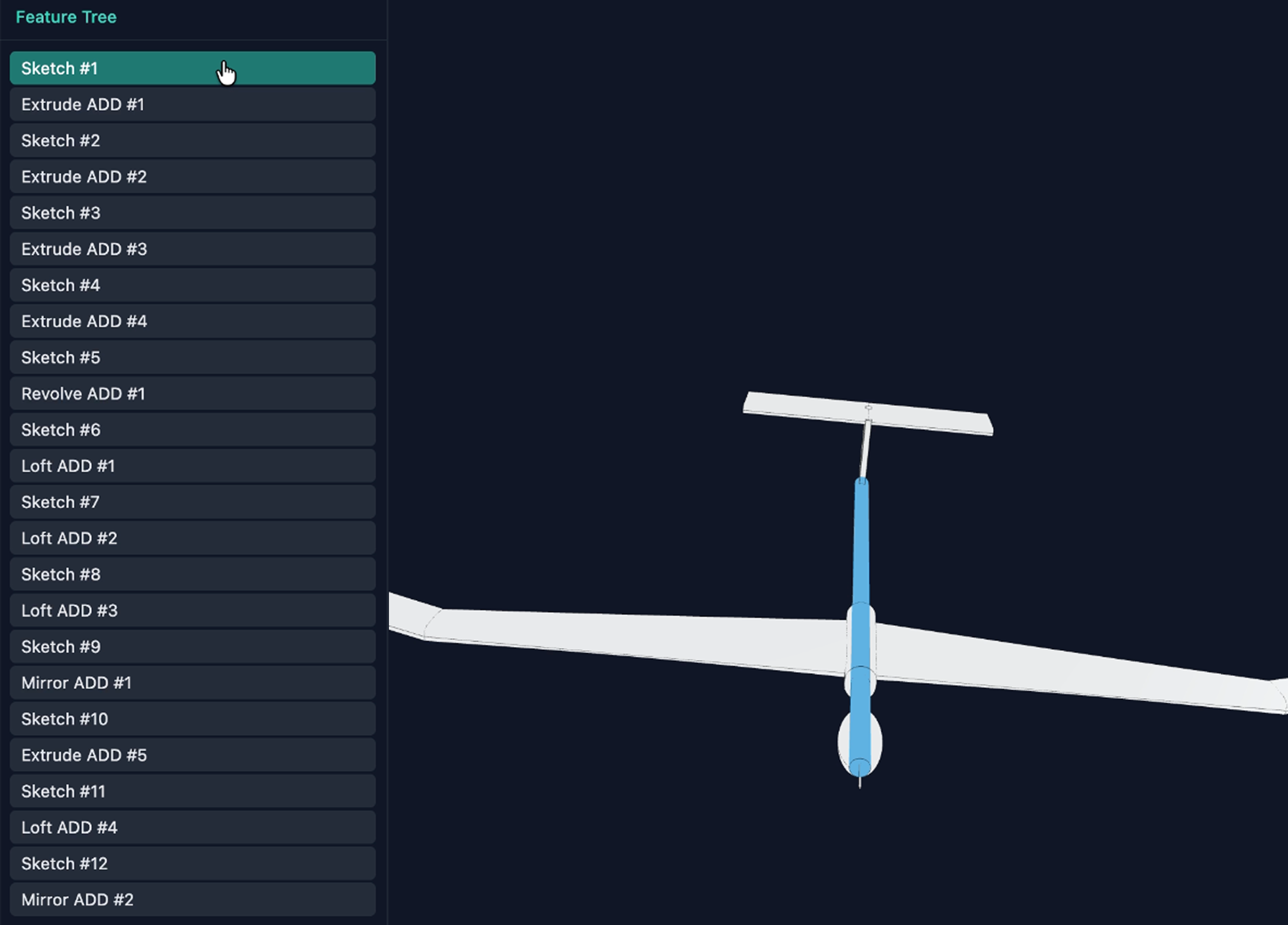
Bench analyses the marked-up geometry and rebuilds the geometry using parametric operations: sketches, lofts, patterns, features, honouring the defined parameters.
Engineers can inspect the rebuilt geometry directly inside Bench before pushing it to their native CAD software. Reconstruction is up to 95% faster than manual reconstructrion on a full vehicle-scale model.
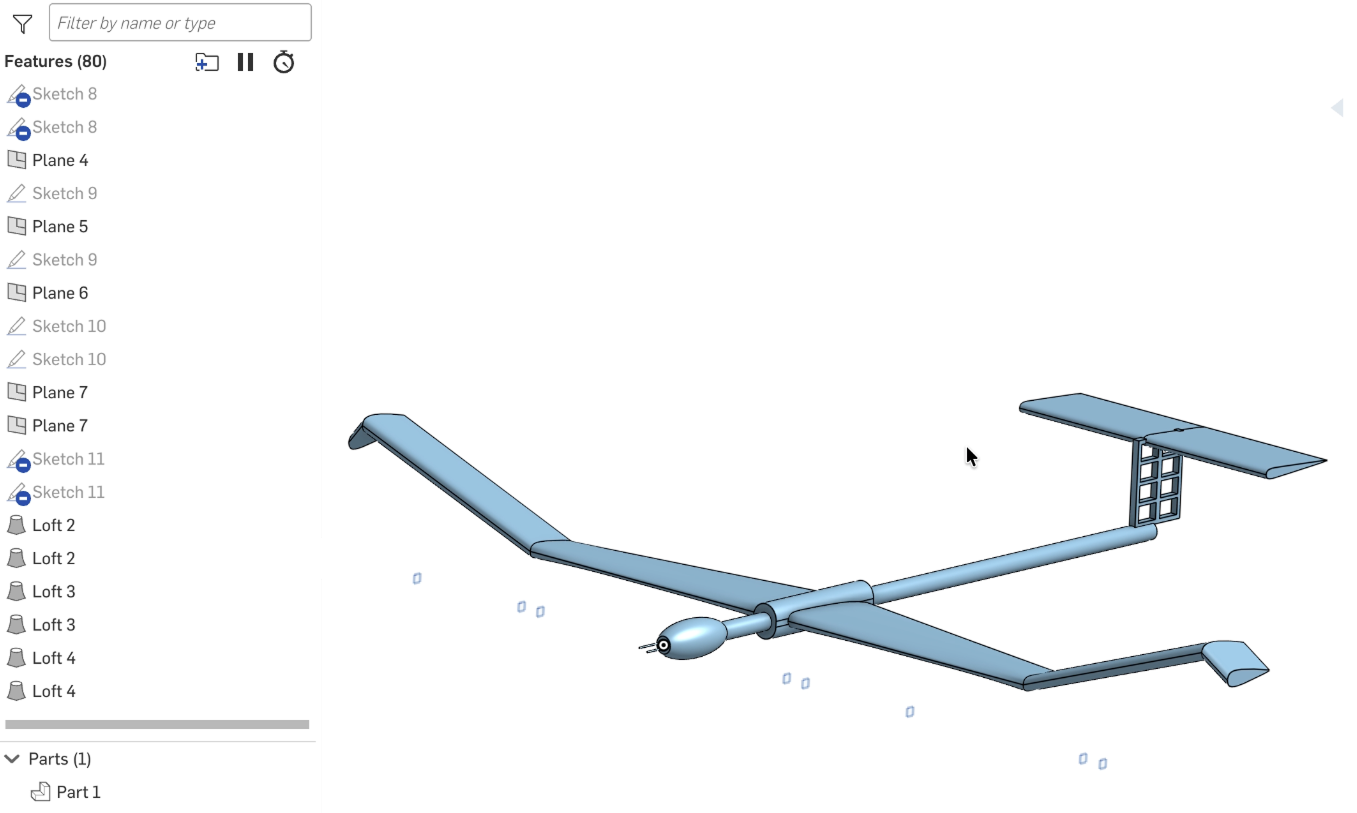
Reconstruction In CAD
Bench reconstructs the geometry directly into your CAD software of choice (Onshape, Solidworks, or Catia etc), building the part live.
The result has a full feature tree, indistinguishable from a model built natively.
Sweep & Iterate
If engineers need to iterate, design variants can be generated in seconds inside Bench or directly in the CAD software.
Integrations Supported


Onshape
Integrate with OnShape for seamless design collaboration and real-time updates across your team.

Solidworks
Utilize Solidworks to enhance your design workflow with powerful simulation and modeling capabilities.

Catia
Use Catia for smart engineering design and product management, helping teams create innovative solutions for today’s industries.

SiemensNX
Integrate SiemensNX to optimize your engineering processes with cutting-edge design tools.

ANSYS
Use ANSYS for simulation solutions that boost innovation and efficiency, letting engineers test their designs virtually before production.

SimScale
Integrate with SimScale’s world-class cloud-native AI and simulation workflows.
Similar Use Cases
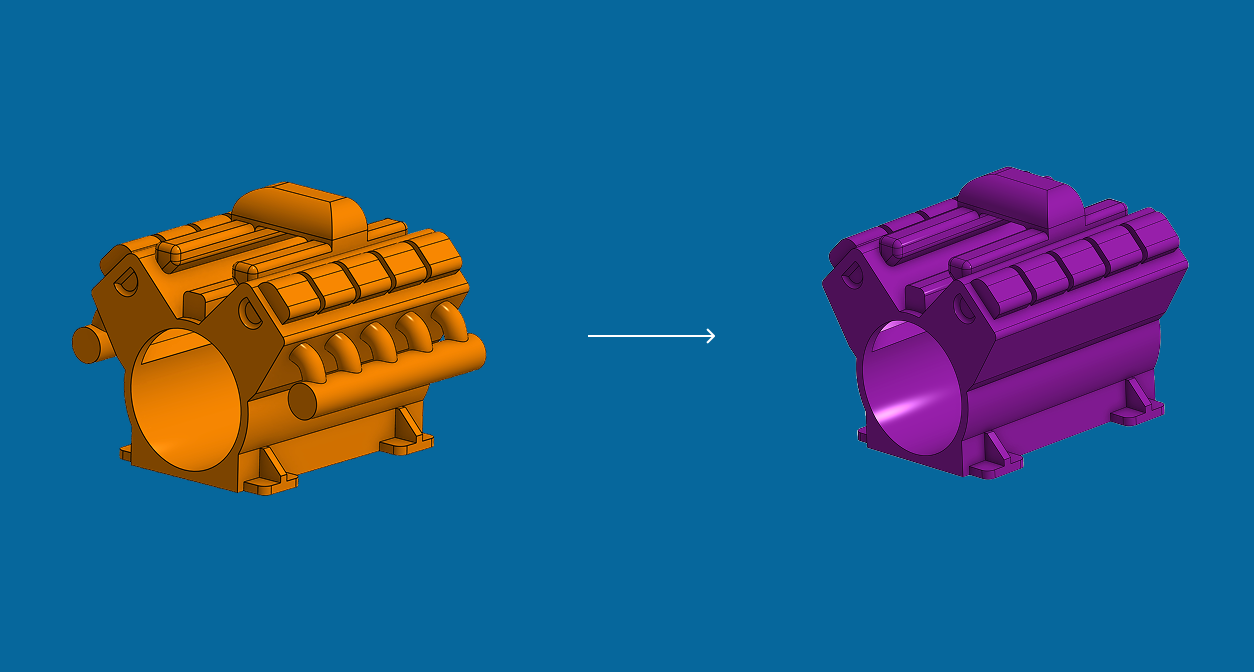
Geometry Preparation for Simulation
Remove the manual Geometry preparation bottleneck so that your CAE teams can run more iterations at the same time.

.svg)
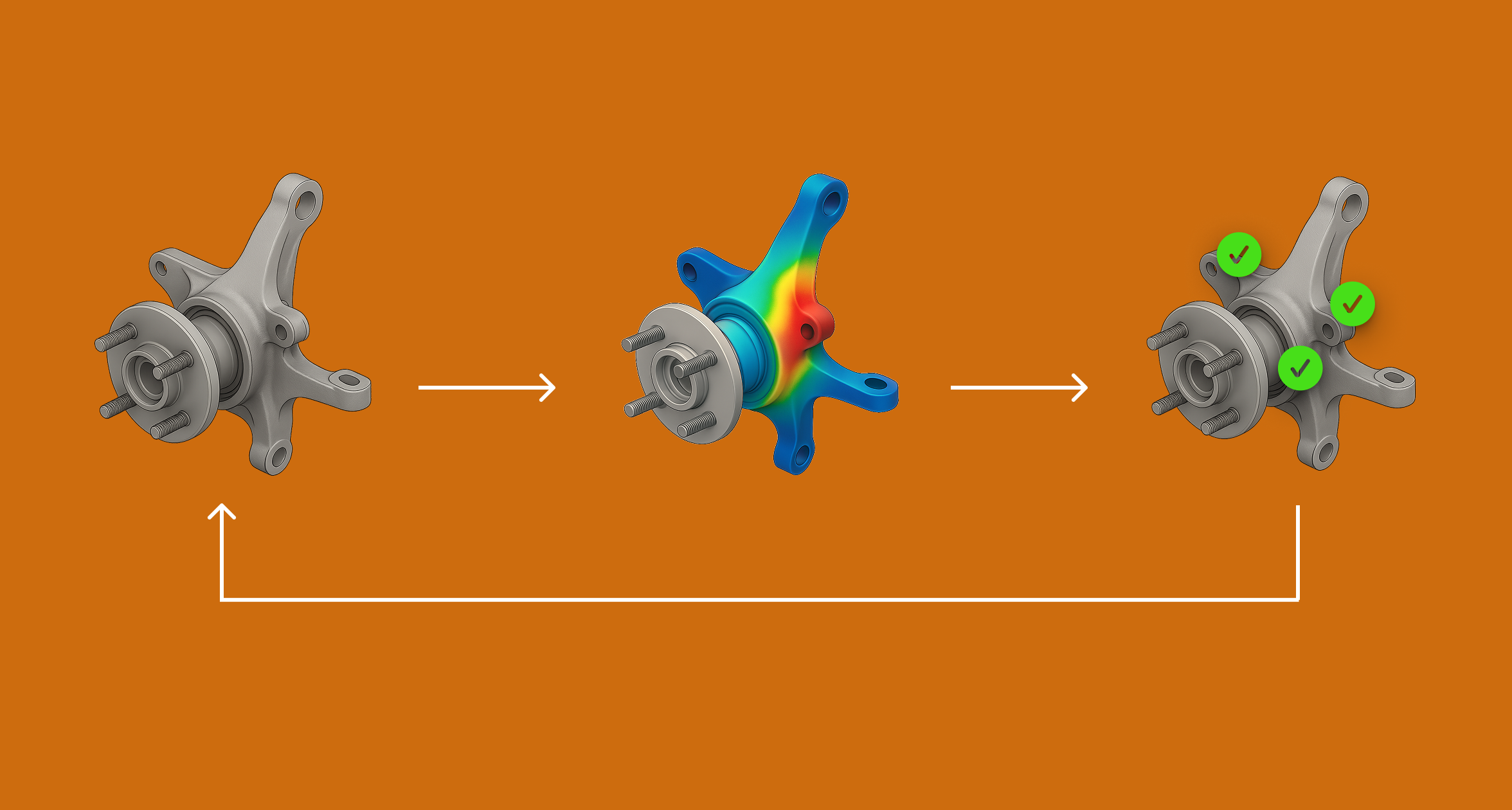
Autonomous Optimisation
Accelerate design cycles by automating menial CAD edits. Enable your engineers to focus on high-leverage tasks instead.
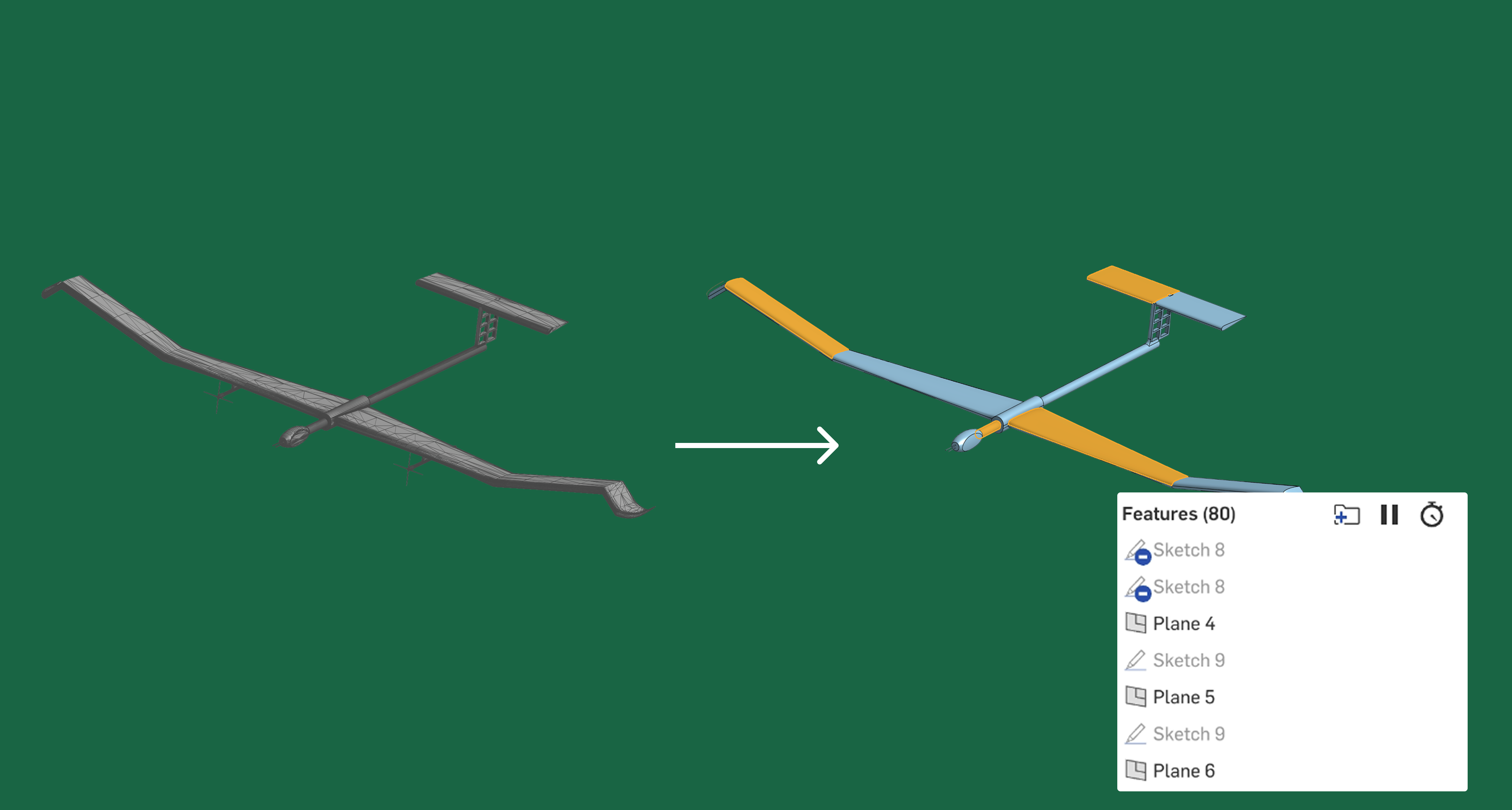
STL to Parametric CAD
Autonomously rebuild scanned and mesh models as fully parametric parts, giving engineers clean, editable CAD.
Want to see a live demo?
Book a call - one of our founders will show you what you can achieve with Bench.
Request a Demo

Request a Demo

